

Smart home technology has changed the way we live. You can switch off lights using your phone, ask a voice assistant about the weather, watch your front door from anywhere, and even control household appliances while you’re away. These conveniences are useful, but they also raise an important question: Is your smart device safe for home Wi-Fi privacy, or could it expose your personal information to unwanted eyes?
The honest answer is that it depends on the device, its manufacturer, its software, the information it collects, and how you configure your home network. A well-designed smart device with regular security updates and sensible privacy controls can be reasonably safe. However, a poorly maintained device with weak passwords, excessive data collection, or outdated software may create unnecessary risks.
The US National Institute of Standards and Technology (NIST) identifies several important cybersecurity capabilities for consumer Internet of Things (IoT) products, including data protection, restricted access, secure software updates, and device security. These principles provide a useful starting point when evaluating connected products for your home.
In this guide, we’ll explore how smart devices connect to Wi-Fi, what information they may collect, where privacy risks come from, and which practical steps can help you secure your network. Whether you’re considering a new smart camera or already have a house full of connected gadgets, you’ll learn how to make more informed decisions without giving up the convenience of modern technology.
Understanding Smart Devices and Home Wi-Fi Privacy
A smart device is an electronic product that uses network connectivity, software, or sensors to offer features beyond its traditional purpose. Examples include smart speakers, televisions, security cameras, thermostats, doorbells, robot vacuums, and connected washing machines. Many of these products connect to your home Wi-Fi router and communicate with a manufacturer’s servers to deliver remote controls, notifications, automation, and other services.
Think of your home Wi-Fi network as a digital neighborhood. Every connected device is another resident, and your router acts as the main entrance. When the network is configured properly, devices can communicate with approved services while your router helps manage connections. But if a device has weak security or a manufacturer fails to maintain its software, that resident may become a weak point in the neighborhood.
Privacy involves more than preventing hackers from accessing your network. It also includes understanding what data a device collects, how long that information is retained, who can access it, and whether it is shared with third parties. A device can have strong encryption and still collect more personal information than you expected.
For example, a smart speaker might encrypt its internet connection but still send voice recordings or transcripts to a cloud service when you use certain features. A security camera may protect its video stream while retaining recordings in an online account. Good Wi-Fi security protects connections; good privacy practices help you control the information flowing through them.
How Smart Devices Collect and Share Your Data
Smart devices collect information to perform their functions, improve responsiveness, and personalize the user experience. Depending on the product, the collected data may include voice commands, video footage, motion events, device identifiers, usage history, approximate location, network diagnostics, and account details. Some products also use analytics systems to understand which features people use most often.
Not every device collects every type of information, and the presence of a sensor does not automatically mean the manufacturer continuously records everything it detects. The important distinction is between what the device can technically collect, what it actually collects, and what its privacy policy permits the company to process.
Consider a smart doorbell. It may capture video when someone approaches your front entrance, store clips locally, and send notifications through the manufacturer’s cloud service. Depending on its settings and design, it might also retain snapshots, event timestamps, or other diagnostic information. Those details can reveal patterns about when your household is active or when nobody appears to be home.
Before purchasing a device, read its privacy policy and product documentation. Look for clear explanations of recording behavior, cloud storage, retention periods, account access, and data sharing. If a manufacturer makes it difficult to understand these basics, consider that a warning sign rather than assuming the product is private by default.
The Difference Between Wi-Fi Security and Privacy
Wi-Fi security and data privacy are closely related, but they are not interchangeable. Wi-Fi security focuses on protecting network access and communications through mechanisms such as encryption, strong authentication, secure router configuration, and software updates. Privacy focuses on how personal information is collected, processed, stored, shared, and deleted.
Imagine that you lock your front door with a strong deadbolt. The lock makes unauthorized entry harder, but it does not determine what a visitor does after you invite them inside. In a similar way, encryption can protect data in transit without preventing a legitimate service from processing that data after it reaches the provider’s servers.
This distinction matters when evaluating products from popular manufacturers. A well-known brand may provide reliable security features, but you should still check its privacy controls, cloud requirements, advertising practices, and account settings. Equally, a device that offers local storage and fewer cloud features may reduce certain privacy risks, although it still needs proper network protection.
The best approach combines both disciplines. Protect your Wi-Fi network, restrict unnecessary access, use strong account authentication, and review the device’s data practices. That way, you’re not simply preventing strangers from entering your digital home; you’re also deciding what information should leave it in the first place.
The Biggest Privacy Risks of Smart Home Devices
Smart devices can introduce privacy risks through several different routes. Some problems originate in the device’s software, others come from account security, and some arise from the manufacturer’s own data practices. Understanding these categories makes it easier to identify which precautions matter most for your household.
The US Federal Trade Commission (FTC) recommends securing home Wi-Fi networks because connected products such as cameras, voice assistants, televisions, and appliances depend on that network to reach the internet. A compromised device or poorly secured network can expose information that should remain private.
Not every connected device presents the same level of risk. A smart bulb generally has different privacy implications from a camera that records conversations or a smart lock that controls entry to your home. Your goal should be to match the level of protection to the information a device handles and the consequences of unauthorized access.
Unauthorized Access and Weak Passwords
One of the most common preventable security problems is weak authentication. Some users retain default passwords, reuse credentials across several accounts, or choose passwords that are easy to guess. Attackers may also exploit stolen passwords obtained from unrelated services, particularly when users reuse the same credentials for their smart home accounts.
If someone gains access to your smart camera account, they might be able to view available footage, change settings, or access recordings, depending on the product’s permissions. Access to a smart lock or home automation account could have more serious consequences if the attacker can control physical security features.
The solution starts with unique passwords for both your Wi-Fi network and smart device accounts. Use a reputable password manager if remembering many credentials becomes difficult, and enable multi factor authentication wherever it is available. Multi factor authentication adds another verification step, making a stolen password less likely to be sufficient on its own.
Also, check which people and devices have access to your smart home applications. Remove old accounts, revoke access for people who no longer need it, and review unfamiliar login notifications. A secure password is important, but regularly reviewing account permissions helps prevent unnecessary access from lingering indefinitely.
Data Collection, Cloud Storage, and Third-Party Sharing
Cloud connectivity allows smart devices to provide useful services without requiring you to manage a home server. It can support remote camera viewing, voice recognition, synchronized settings, and notifications when you’re away. However, cloud-dependent features also mean some information may leave your home and be processed by external systems.
The privacy implications depend on the device and the provider. Video clips, voice recordings, usage events, and account identifiers may be stored for different periods. Some providers offer local-only operation for certain features, while others require cloud access for most functionality. A subscription may also affect recording history, storage capacity, or available privacy controls.
You should not assume that every manufacturer sells personal information or that every cloud service is unsafe. Instead, examine the specific data practices. Does the product offer local storage? Can you disable optional recordings? Are data deletion controls available? Does the provider explain how third-party services receive information?
If you don’t need a feature, consider disabling it. Turn off unnecessary voice-history retention, limit optional analytics where settings allow, and choose shorter recording periods when appropriate. These steps won’t eliminate every privacy risk, but they can reduce the volume of personal information collected and retained.
Outdated Firmware and Security Vulnerabilities
Firmware is the software that allows a smart device to operate. Like apps and computer operating systems, firmware can contain security flaws that require fixes. Manufacturers may release updates to repair vulnerabilities, improve authentication, and strengthen device protections.
A smart device that no longer receives updates can become increasingly risky over time. Even if it works perfectly, its software may lack fixes for security problems discovered after its release. This is particularly concerning for devices that remain connected to the internet around the clock or handle sensitive information.
Before buying a product, check whether the manufacturer publishes security updates and explains how long it expects to support the device. Clear support commitments are valuable because they help you understand how long the product is likely to remain maintainable. NIST’s consumer IoT guidance identifies secure software updates and device security as important capabilities to consider.
Enable automatic updates if the manufacturer provides a reliable mechanism, or check periodically for new versions. Replace devices that have reached the end of support when they handle sensitive tasks and no reasonable mitigation is available. A low purchase price may not represent good value if the product becomes insecure after a short period.
Are Different Types of Smart Devices Safe?
The privacy risks of smart home products vary significantly by category. Some primarily exchange basic operational information, while others use microphones, cameras, location-related features, or controls that affect physical access to your home. Understanding these differences helps you prioritize the devices that deserve the most attention.
| Smart device | Main privacy concern | Recommended precaution |
|---|---|---|
| Smart speaker | Voice data and recordings | Review microphone and voice-history settings |
| Security camera | Video footage and account access | Use multifactor authentication and restrict sharing |
| Smart doorbell | Visitors’ video and activity patterns | Limit recording and retention |
| Smart lock | Unauthorized control of entry | Use strong authentication and secure recovery options |
| Smart TV | Viewing habits and tracking | Review viewing-data and advertising settings |
| Robot vacuum | Maps, sensors, and room layouts | Check mapping permissions and storage options |
| Smart bulb | Account or network compromise | Update firmware and restrict network access |
| Smart thermostat | Occupancy patterns and schedules | Review cloud permissions and account access |
These are general considerations rather than claims that every product in a category collects the same information. Features, settings, and risks differ by manufacturer and model.
Smart Speakers and Voice Assistants
Smart speakers make it easy to play music, set reminders, control lights, and ask questions without reaching for your phone. Depending on the model, they may use microphones that listen for a wake word before processing a request. Some devices process certain commands locally, while others rely on cloud services for speech recognition and related features.
The main privacy question is how the device handles audio. Check whether voice recordings are retained, whether you can delete them, and whether optional features permit human review or additional processing. Also, understand the difference between a microphone listening for a wake word and a device continuously uploading recorded audio; these are not necessarily the same thing.
If you don’t use voice features regularly, consider muting the microphone when you want greater privacy. Review the voice assistant’s privacy dashboard, delete old recordings if the service allows it, and disable features you don’t need. Avoid placing voice assistants in rooms where sensitive conversations regularly take place if you are uncomfortable with the device’s data practices.
It’s also worth checking who can access the account. A family member with shared access may be able to view activity or change settings, depending on the platform. Thoughtful account permissions and clear household rules can help everyone understand what the device does and when it is active.
Smart Cameras, Doorbells, and Locks
Security cameras and video doorbells can improve awareness of activity around your property, but they also handle some of the most sensitive information in a smart home. Recordings may show family members, visitors, delivery workers, neighbors, and daily routines. If an account is compromised, the consequences can extend beyond ordinary browsing history.
Start by securing the camera’s account with a unique password and multi factor authentication. Review shared users, disable public sharing features, and check whether footage is stored locally or in the cloud. If cloud storage is enabled, understand how long recordings remain available and what options exist for deleting them.
Placement matters, too. Point outdoor cameras toward your own property where practical, and avoid unnecessary recording of neighboring homes or private spaces. For indoor cameras, use privacy shutters, physical disconnection, or scheduled recording controls when appropriate. A camera that is secure online can still create a privacy problem if it records more than you intended.
Smart locks require a slightly different approach because they control physical access. Choose a model with dependable security updates, secure account recovery, and clear access-management features. Remove temporary access codes when they are no longer needed, review entry logs where available, and retain a secure alternative for entering your home if the connected system fails.
Smart TVs and Connected Appliances
Smart TVs can collect information related to viewing habits, app usage, voice commands, and advertising preferences, depending on the manufacturer and enabled features. Certain televisions offer automatic content recognition or similar technologies that identify what is displayed on the screen to support recommendations, analytics, or advertising. These features may be optional, so check the television’s privacy menu rather than assuming every function must remain enabled.
Review settings for viewing information, personalized advertisements, voice assistance, and diagnostic sharing. Disable options you don’t need, and examine the permissions requested by installed apps. If an application asks for access that doesn’t fit its purpose, reconsider whether it belongs on your television.
Connected appliances also deserve attention, although their privacy risks may be less obvious. A robot vacuum may build maps of your rooms, while a smart thermostat can record temperature changes and occupancy-related events. A connected refrigerator may retain usage or diagnostic information, and some appliances use cloud accounts for remote monitoring.
Check whether the device can operate locally, whether mapping or usage history can be deleted, and whether remote connectivity is genuinely necessary. If a smart appliance offers no meaningful benefit from internet access, leaving its network features disabled may be a sensible choice. Convenience should be a deliberate trade-off, not an automatic reason to share more data.
How to Check Whether a Smart Device Is Safe
Before buying or connecting a smart device, take a few minutes to evaluate its security and privacy features. You don’t need advanced technical knowledge to identify many important warning signs. A manufacturer’s documentation, privacy policy, support information, and device settings can reveal a great deal about how responsibly the product is maintained.
Begin with the manufacturer. Does it publish contact details for reporting security problems? Does it explain how software updates are delivered and how long the device will receive support? Can you find instructions for resetting the product, deleting your data, and removing your account? A transparent company makes these details easier to locate.
Next, examine authentication and network requirements. Look for unique account credentials, multi factor authentication, encrypted communications, and a secure setup process. Check whether the device requires cloud access for basic operation or supports local control. Neither local nor cloud-based operation guarantees security, but understanding the architecture helps you judge the trade-offs.
Privacy documentation deserves equal attention. Identify the information collected, how it is used, where it is stored, and whether it can be shared with third parties. Review any optional analytics, personalized advertising, voice-history retention, or recording features. If the product’s behavior is unclear, ask the manufacturer before committing to a purchase.
NIST’s consumer IoT cybersecurity guidance provides a useful reference for these checks, particularly around data protection, authorized access, secure updates, and device security.
Use the following checklist when comparing products:
- The manufacturer provides a clear security-update policy.
- You can change default credentials and use a strong password.
- Multi factor authentication is available for sensitive accounts.
- The product explains its data collection and retention practices.
- You can control unnecessary recordings, permissions, or analytics.
- You can remove shared users and securely reset the device.
- The manufacturer provides a reasonable way to report vulnerabilities.
- The device supports the features you need without unnecessary cloud access.
A product doesn’t have to offer every possible feature to be a good choice. What matters is whether its protections match its intended use and whether its limitations are acceptable to you. A basic connected light with limited data collection may require less scrutiny than a camera that stores recordings of your family’s daily life.
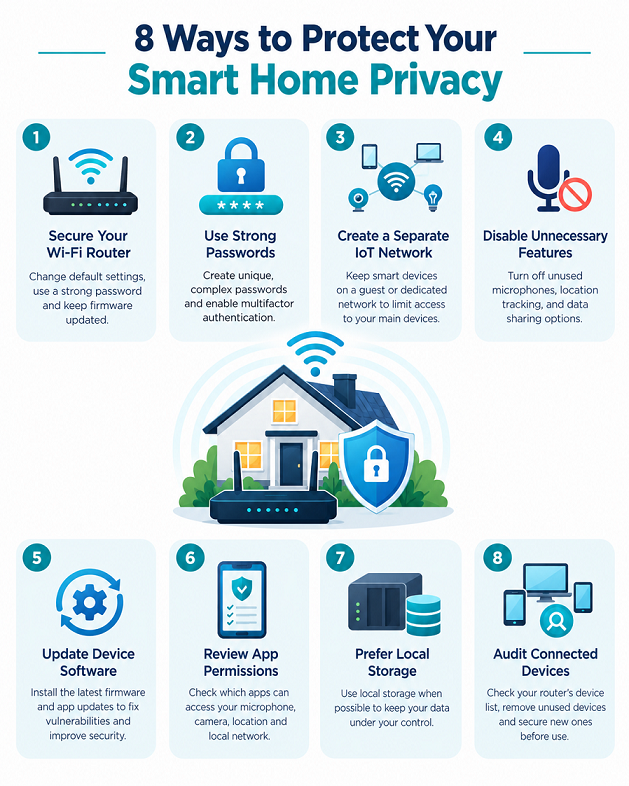
8 Practical Ways to Protect Your Home Wi-Fi Privacy
Even a well-designed smart device needs a secure environment. Your router, connected accounts, and everyday configuration choices all influence how much risk you take on. The following measures offer a practical way to improve your home’s privacy without turning network security into a full-time job.
1. Secure your Wi-Fi router
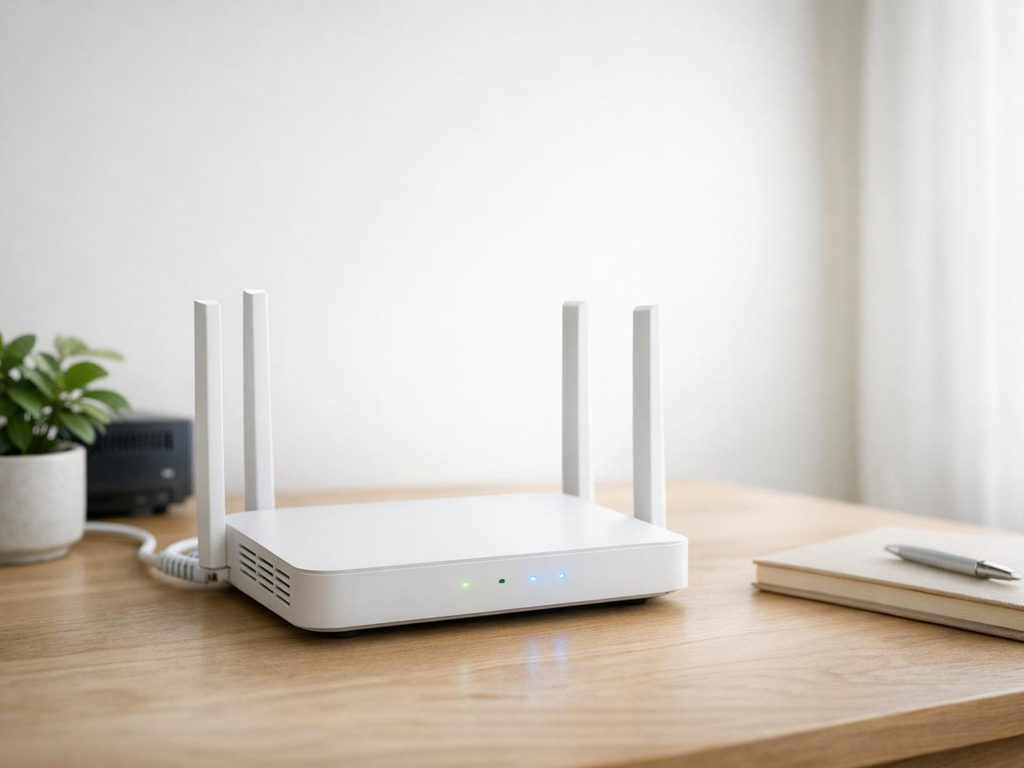
Change the router’s default administrator password, install firmware updates, and use WPA3 or WPA2-AES security when supported. Disable outdated security modes and features you don’t need. The FTC recommends protecting home Wi-Fi because connected devices rely on the network for their communications.
2. Use unique passwords and multi factor authentication
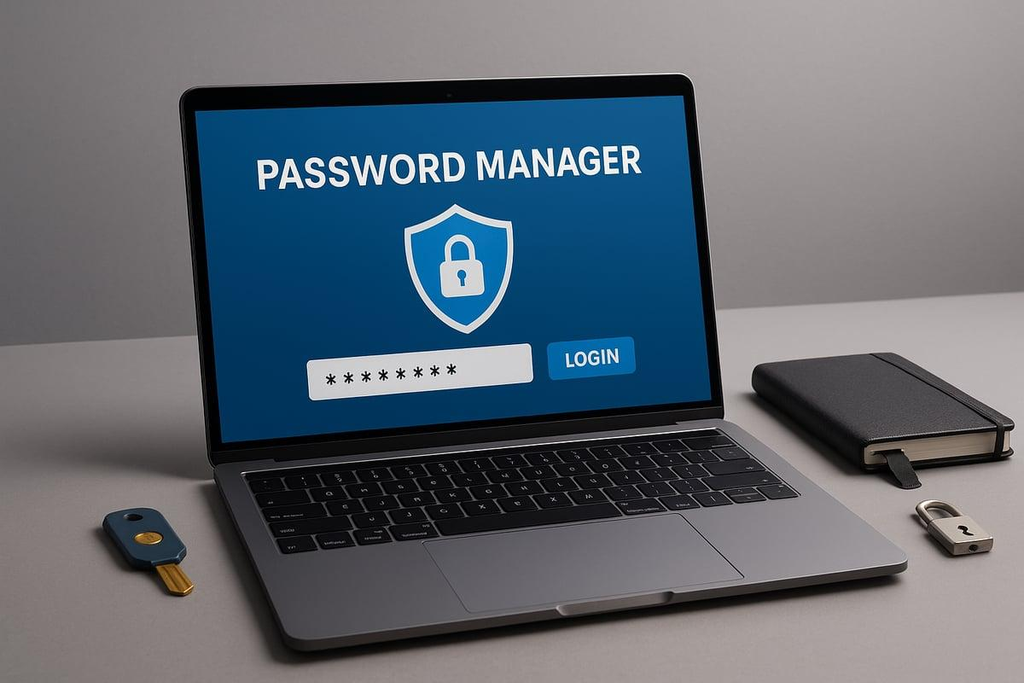
Create a separate password for every important smart home account. Use a password manager to make long, random passwords easier to maintain, and enable multi factor authentication whenever available. Avoid sharing administrator credentials across household members when separate user accounts are supported.
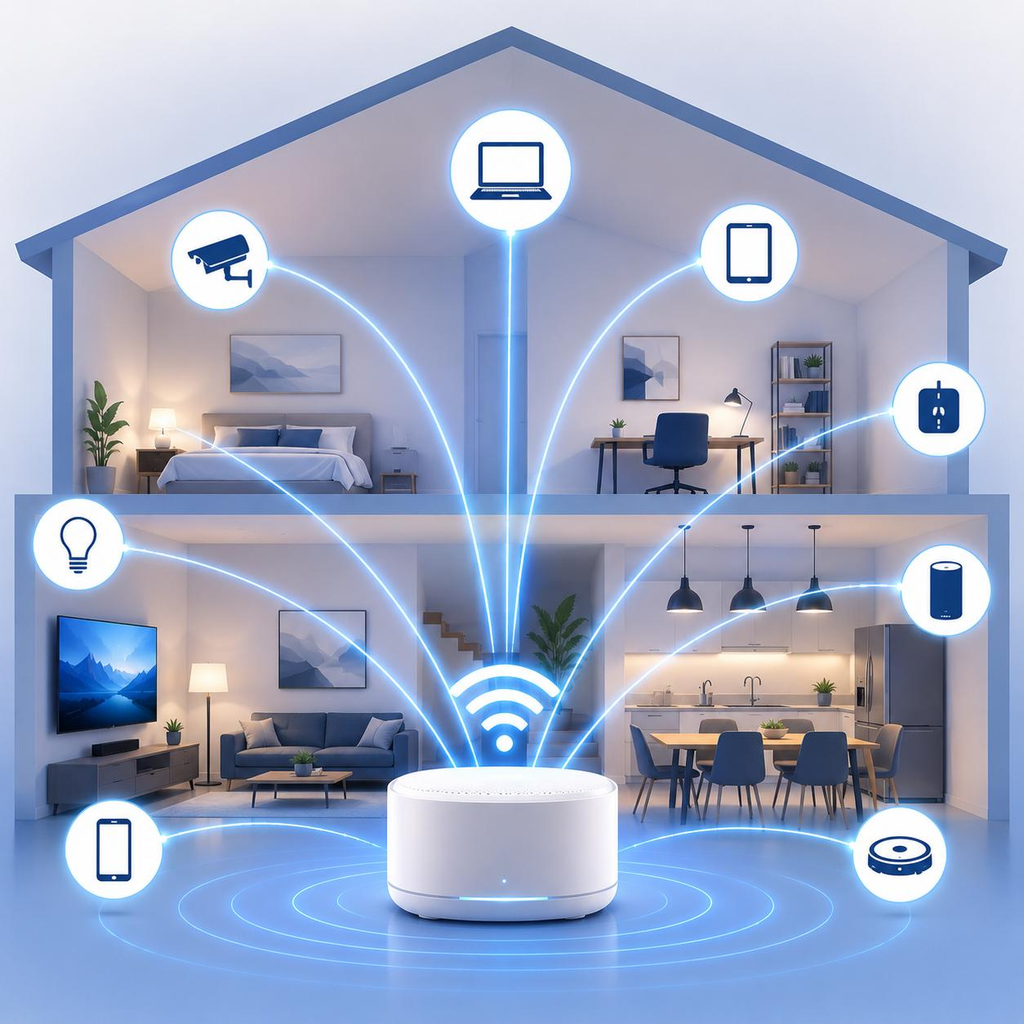
3. Put smart devices on a guest or IoT network
If your router supports guest networks or network segmentation, use a separate network for compatible smart devices. This can reduce their ability to communicate directly with laptops and other sensitive equipment. Configure local-control exceptions where needed, since separating devices can interfere with casting, discovery, or automation.
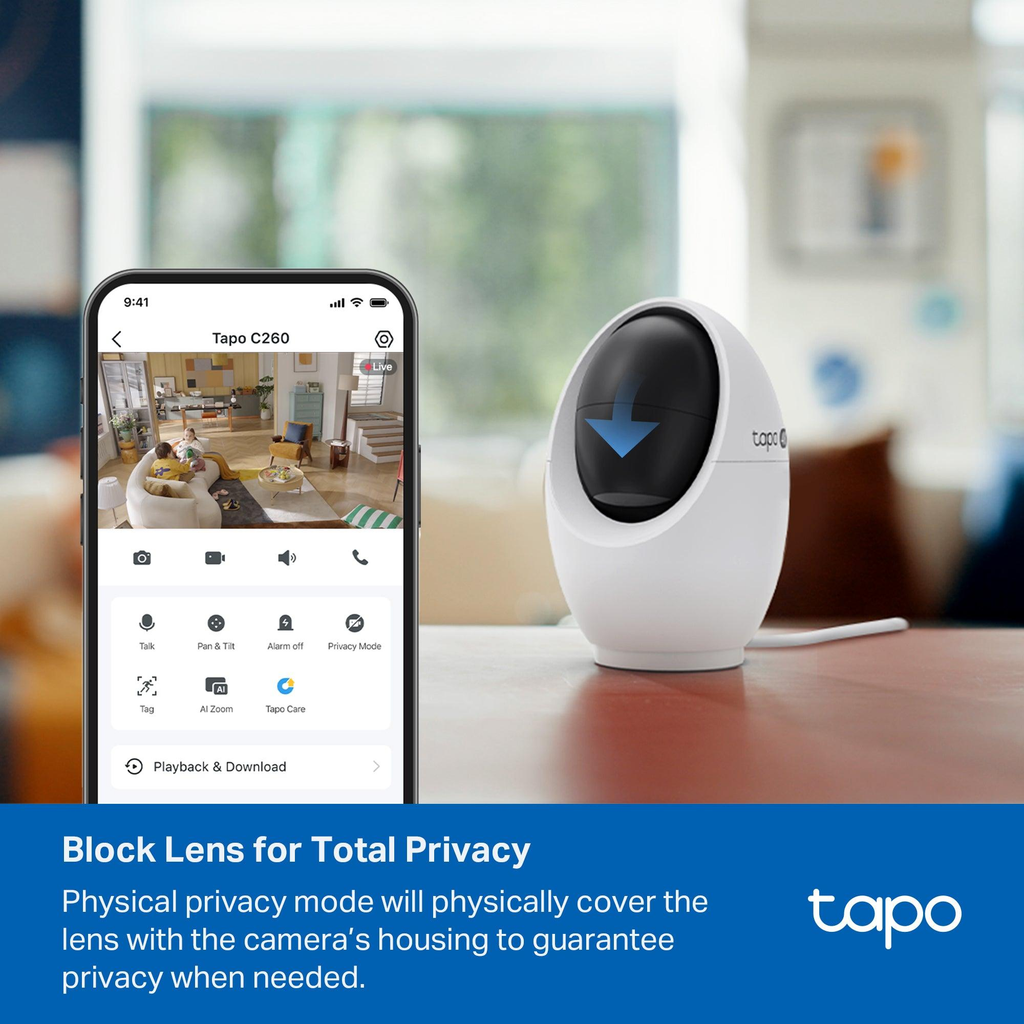
4. Turn off features you don’t need
Disable unused microphones, unnecessary location permissions, optional voice-history storage, and public sharing features. For cameras, set appropriate recording schedules and retention periods. For televisions, review tracking and personalized-advertising settings.
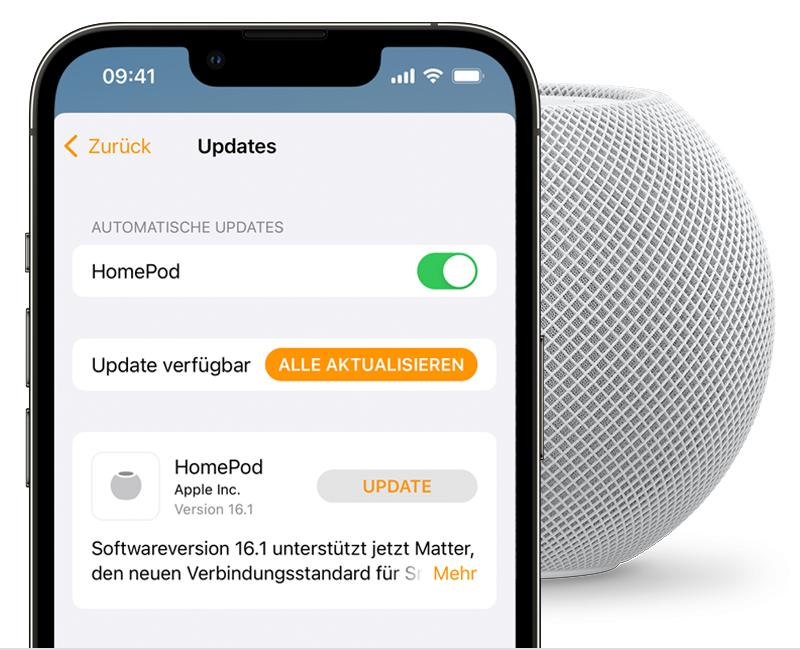
5. Keep device software updated
Install firmware updates from the manufacturer’s official app or website, and enable automatic updates when appropriate. Check older products periodically to see whether security support continues. Replace unsupported devices that present significant risks and cannot be adequately secured.

6. Review app permissions and shared accounts
Check which apps can access your microphone, camera, location, and local network. Remove permissions that aren’t needed, delete old user accounts, and revoke access from former household members or temporary users. Review account activity if the service offers login history or security alerts.
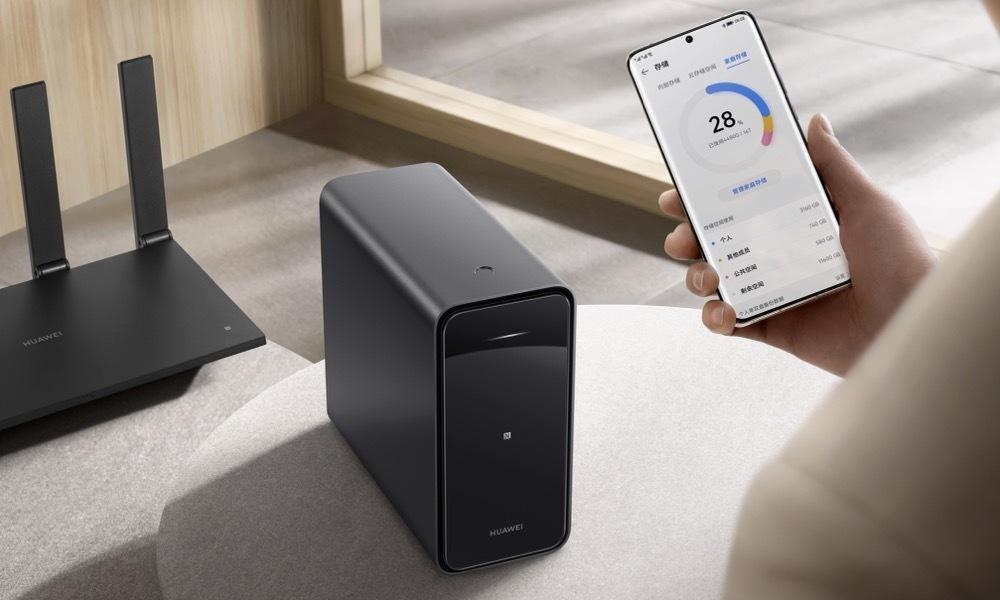
7. Prefer local storage when it fits your needs
Local storage can reduce dependence on cloud recording and give you greater control over where footage or other files reside. However, local storage isn’t automatically secure; protect it with strong credentials, updates, and appropriate access controls. Compare local and cloud options based on the features you actually use.
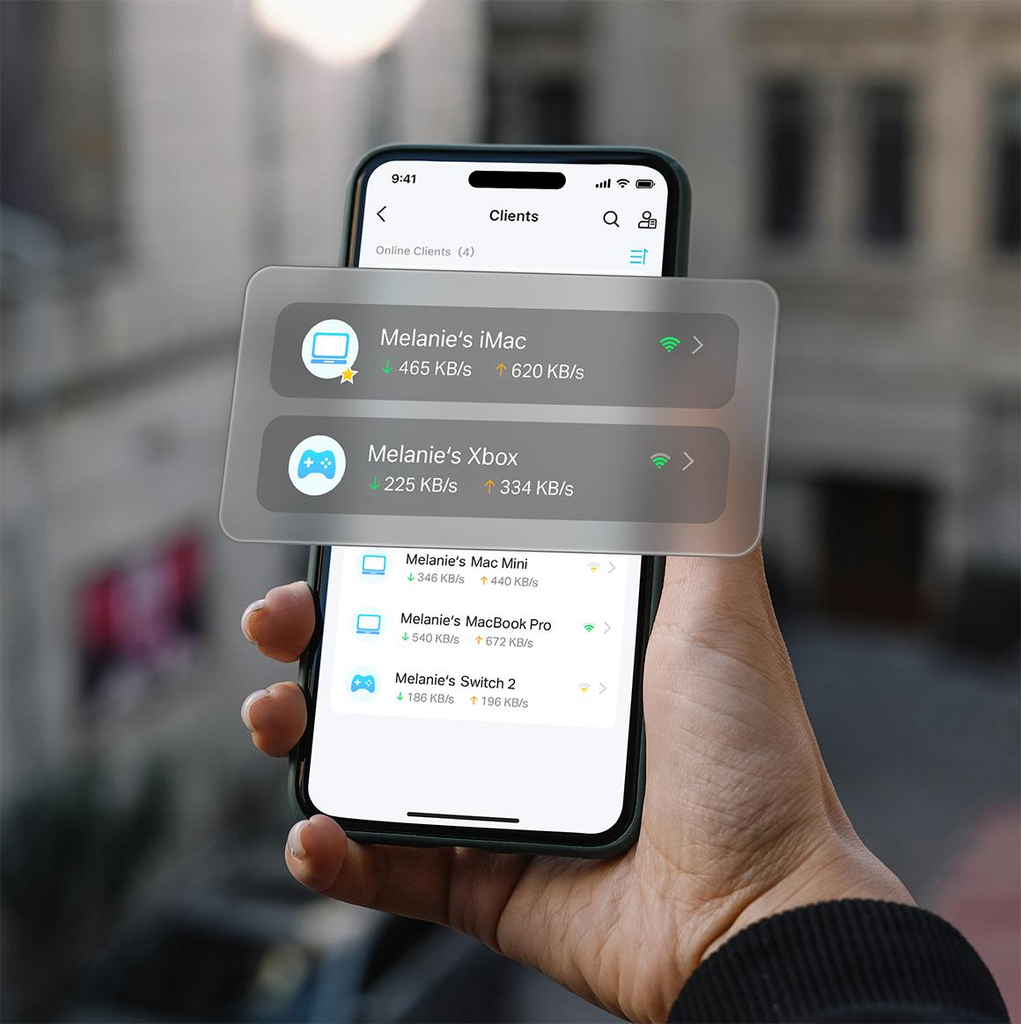
8. Audit connected devices regularly
Review the router’s connected-device list and identify unfamiliar entries. Device names aren’t always obvious, so verify the identity before blocking anything. Remove unused products from your network, reset devices before selling or giving them away, and check your router’s security settings every few months.
These measures work best together. A strong router password won’t compensate for an exposed camera account, and a secure camera won’t protect a poorly maintained router. Think of privacy as several layers of protection, each reducing the chance that one mistake will expose your entire household.
What to Do If You Suspect a Smart Device Has Been Hacked
Unusual device behavior doesn’t automatically mean someone has hacked your network. A smart camera may disconnect because of a weak Wi-Fi signal, and a speaker may activate accidentally after mishearing a command. However, unfamiliar account logins, unexpected configuration changes, unknown shared users, or unexplained camera activity deserve attention.
Start by securing the account associated with the device. From a trusted phone or computer, change its password to a unique one and enable multi factor authentication. Review active sessions and sign out devices you don’t recognize, revoke unnecessary sharing permissions, and check the manufacturer’s account-security guidance. If your email account is used to recover the smart device account, secure that email account as well.
Next, isolate the suspected device if you believe it poses an immediate risk. Disconnecting it from Wi-Fi or unplugging it may stop further network communication, although this will also disable some functions. If you suspect a camera or smart lock has been compromised, consider the physical security implications before disconnecting it and arrange an alternative way to monitor or secure your home.
Update the device and its companion app using official manufacturer instructions. If suspicious behavior continues, perform a factory reset when appropriate and configure the product again with new credentials. A reset may erase useful logs or evidence, so if you suspect targeted surveillance, serious unauthorized access, or a criminal incident, document what you observe and seek appropriate professional assistance before wiping the device.
Finally, review your router’s connected-device list, administrator settings, and firmware version. If the router itself may be compromised, follow the manufacturer’s recovery instructions and contact your internet service provider if necessary. The FTC provides additional guidance on securing connected devices and home security cameras.
Conclusion
So, is a smart device safe for home Wi-Fi privacy? It can be, provided the device is designed responsibly, receives security updates, and is configured with privacy in mind. But no connected product should be treated as automatically safe simply because it comes from a familiar brand or works smoothly during setup.
The most important factors are the information the device collects, the strength of its security controls, the manufacturer’s update policy, and the amount of control you have over data sharing. A smart camera deserves careful protection because it handles video footage, while a connected light bulb may present a different and generally less sensitive set of privacy concerns.
Start with the basics: secure your router, use unique passwords, enable multi factor authentication, update your devices, and review privacy settings. Where practical, separate smart devices from computers containing sensitive information and disable unnecessary cloud features. These steps reduce exposure without requiring you to abandon smart home technology.
Above all, make informed choices. Read the privacy policy before buying, check how long the manufacturer supports its products, and avoid connecting devices you no longer trust or need. A safer smart home isn’t one without connected devices; it’s one where you understand what those devices can access, what information they share, and how to keep that information under control.
Frequently Asked Questions
1. Can a smart device spy on me through my home Wi-Fi?
A smart device may collect audio, video, usage information, or other data depending on its hardware, software, and settings. A compromised device or account can create additional privacy risks. However, Wi-Fi connectivity alone does not mean that a device is secretly recording you. Check its microphone and camera permissions, recording indicators, privacy policy, and account-access settings to understand its actual behavior.
2. Can smart devices compromise my entire home Wi-Fi network?
A vulnerable or compromised smart device can sometimes provide a route to other devices, depending on the security flaw and how your network is configured. Network segmentation can help limit this exposure by separating smart home products from sensitive computers and storage devices. Keeping your router updated, using strong credentials, and disabling unnecessary remote-access features also reduces risk.
3. Are smart devices safe if they use encrypted Wi-Fi?
Encryption is an important protection, but it is not a complete privacy guarantee. It helps protect wireless communications from unauthorized interception, while other risks may involve compromised accounts, insecure device software, excessive data collection, or cloud storage. Use strong Wi-Fi encryption alongside secure passwords, device updates, and careful privacy settings.
4. Should I put smart home devices on a separate Wi-Fi network?
Yes, when your router supports it and your devices can operate properly on the separate network. A guest or dedicated IoT network can limit direct communication between smart devices and computers containing sensitive information. However, check compatibility because some smart home features require devices to discover or communicate with each other locally.
5. How can I tell whether a smart device is collecting too much personal information?
Review the manufacturer’s privacy policy, the device’s permissions, and the available data-management controls. Look for information about audio or video recording, usage analytics, advertising, cloud storage, retention periods, and third-party sharing. If the device collects information unrelated to its main purpose or offers little control over retention and deletion, consider choosing a more privacy-conscious alternative.

1 Comment
Pingback: How to Extend Wi-Fi Range to Your Patio or Garage