

1. What Is a Smart Plug and How Does It Work?
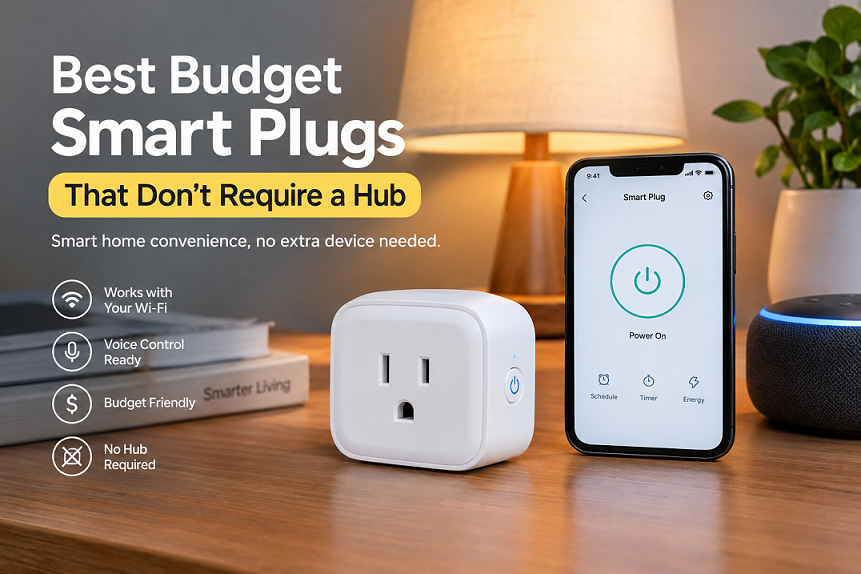
A smart plug is a small device that fits between a wall socket and an electrical appliance, allowing you to control the appliance using a smartphone app, a voice assistant, or an automatic schedule. Think of it as a remote-controlled switch that gives ordinary household electronics some smart-home features without requiring you to replace them. For example, you could connect a table lamp, compatible fan, television, or other suitable appliance and switch its power on or off while sitting on the sofa. Some models also offer countdown timers, energy-consumption monitoring, and routines that automatically operate your appliances at specific times. The best part is that you can often add these features for less than the price of a premium smart-home gadget.
However, not every smart plug works in the same way. Some models communicate through Zigbee or another protocol and require a separate hub, while Wi-Fi smart plugs connect directly to your home wireless network. This direct connection is especially useful for beginners because it removes the need to purchase another device, configure a separate network, or learn a complicated smart-home system. Most budget Wi-Fi models use a compatible smartphone app for setup and daily control, and selected products also work with Amazon Alexa or Google Home. Before buying, check the exact model’s specifications, supported apps, electrical rating, and compatibility with your existing devices. A smart plug can simplify everyday routines, but choosing the right one matters just as much as choosing an affordable one.
How Hub-Free Wi-Fi Connectivity Works
A hub-free smart plug typically connects to your home’s 2.4 GHz Wi-Fi network during setup. You install the manufacturer’s app, plug the device into a compatible outlet, and follow the pairing instructions to connect it to your router. Once configured, the app sends commands to the plug, allowing you to operate a connected appliance without walking across the room. Depending on the model, you may also be able to control it remotely through the internet or integrate it with a supported voice assistant.
There is one important distinction: not needing a hub does not necessarily mean the plug works without the internet. Some models rely on cloud services for remote control and voice commands, while others offer local control or retain certain schedules when the connection drops. Features vary by manufacturer and model. Your home router is still required for ordinary Wi-Fi operation, but you generally do not need to buy a separate smart-home bridge. For a simple setup involving a few lamps, fans, or compatible appliances, this arrangement is often the easiest way to start automating your home.
2. Why Choose a Smart Plug That Doesn’t Require a Hub?
The biggest advantage of a hub-free smart plug is affordability. If you purchase a traditional hub-based system, you may need to spend extra money on a bridge or controller before you can automate even one appliance. A Wi-Fi smart plug removes that additional purchase, making it an attractive option for students, renters, families, and anyone testing smart-home technology for the first time. In India, recent online buying guides have listed several Wi-Fi smart plugs at prices below ₹1,000, although prices and availability can change between sellers and sales. That means you can begin with a single plug and gradually expand your setup if you find the features useful.
Convenience is another strong reason to choose one. Imagine waking up and switching on a connected lamp without searching for its physical switch, or setting a timer that turns off a compatible appliance after a specific period. You can also create schedules for devices that benefit from predictable operating times. Some smart plugs include energy monitoring, which helps you understand how much electricity a connected appliance consumes. Others focus on straightforward on/off control and voice-assistant compatibility instead. You should not assume every model includes every feature, so read the product listing carefully.
A hub-free plug also keeps installation relatively simple. You normally do not need to modify your home’s electrical wiring or hire someone to install a separate controller. Nevertheless, you must use a suitable socket and match the plug’s rating to the appliance. Heavy electrical loads deserve special attention, and an inexpensive smart plug is not automatically appropriate for every device. Choosing the correct model will help you enjoy smart-home convenience without unnecessary expense or avoidable electrical risks.
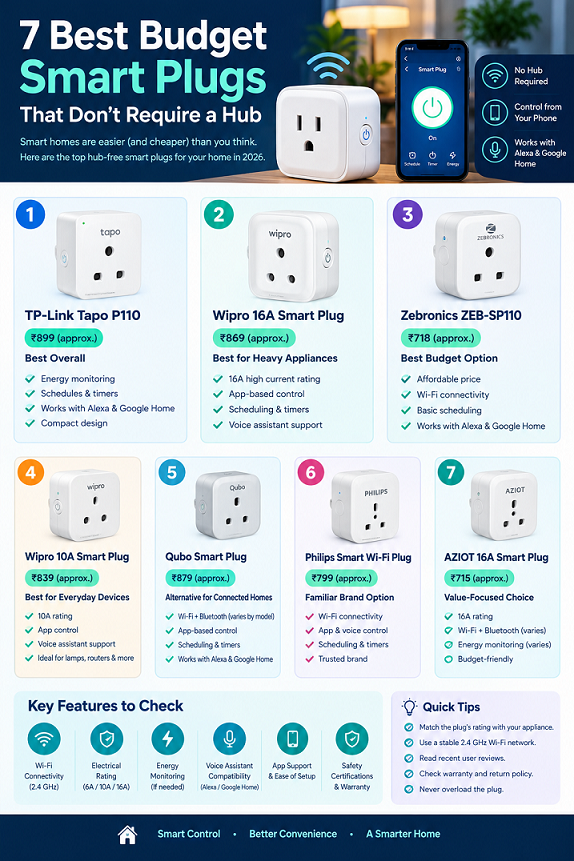
3. The 7 Best Budget Smart Plugs Without a Hub
The following shortlist focuses on Wi-Fi smart plugs marketed for direct network connectivity, with models available or listed for Indian buyers. Prices are approximate reference points from online listings and search results available in October 2026, not guaranteed checkout prices. Product specifications can vary by model number, regional version, and seller, so verify them before ordering. These are research-based recommendations rather than claims that every model has been independently tested in the same conditions.
TP-Link Tapo P110: Best Overall
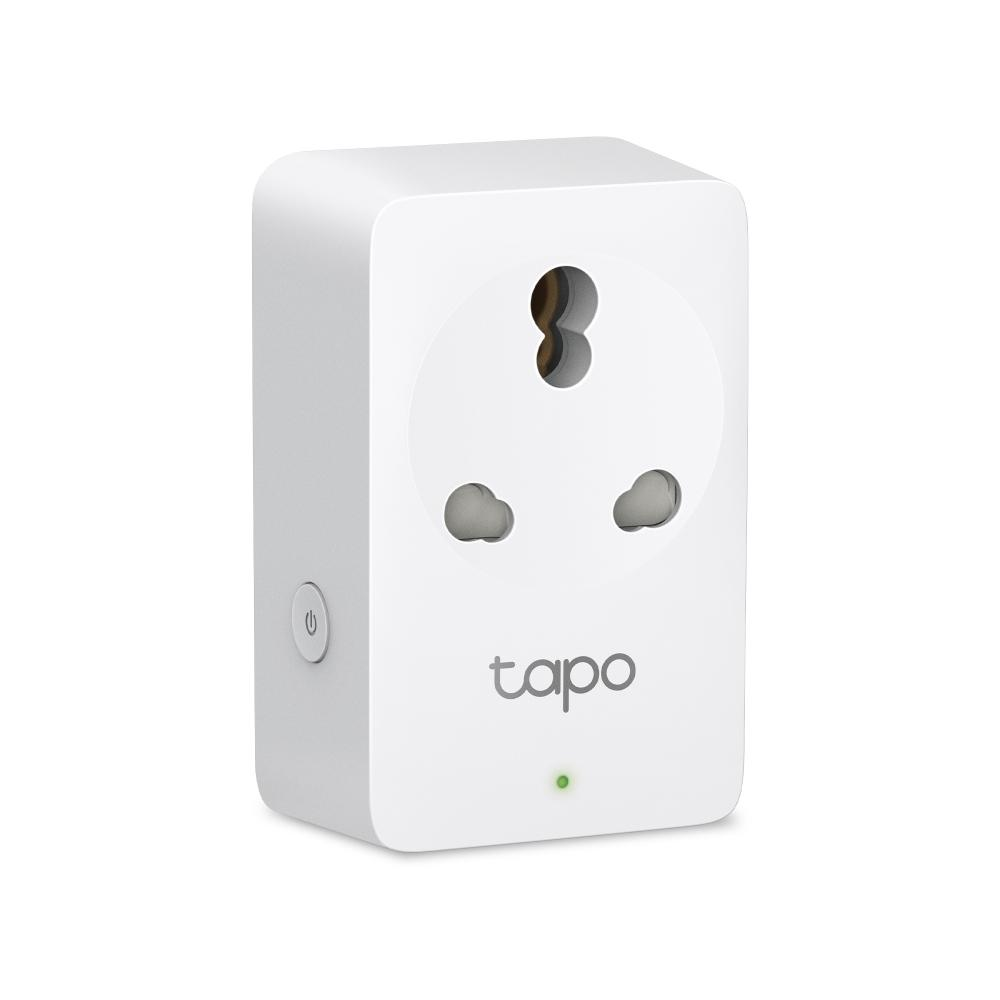
Approximate reference price: ₹899
Best for: App control and energy monitoring
A strong option for buyers who want a familiar smart-home app, scheduling, and power-consumption tracking. Confirm the current model’s electrical rating and Indian socket compatibility before purchasing.
The Tapo P110 is worth considering if you want more than basic remote switching. Its advertised feature set includes energy monitoring, schedules, timers, and smart-home integration, depending on the exact regional version. Energy monitoring is particularly helpful when you want to understand how much electricity a connected appliance uses over time. It can show consumption data, but it cannot guarantee a lower bill by itself; savings depend on how you change your usage habits.
For example, you could monitor a suitable desk setup or another compatible appliance and identify how much power it consumes during normal operation. You can then use schedules or reminders to avoid leaving equipment running unnecessarily. The Tapo app also provides a straightforward way to manage supported devices from your phone. Before buying, check whether the particular listing is for a 10A or 16A version, because similarly named models can have different capabilities. If you want a balance of convenience and useful monitoring features, the Tapo P110 is a sensible candidate for your shortlist.
Wipro 16A Smart Plug: Best for Heavy Appliances
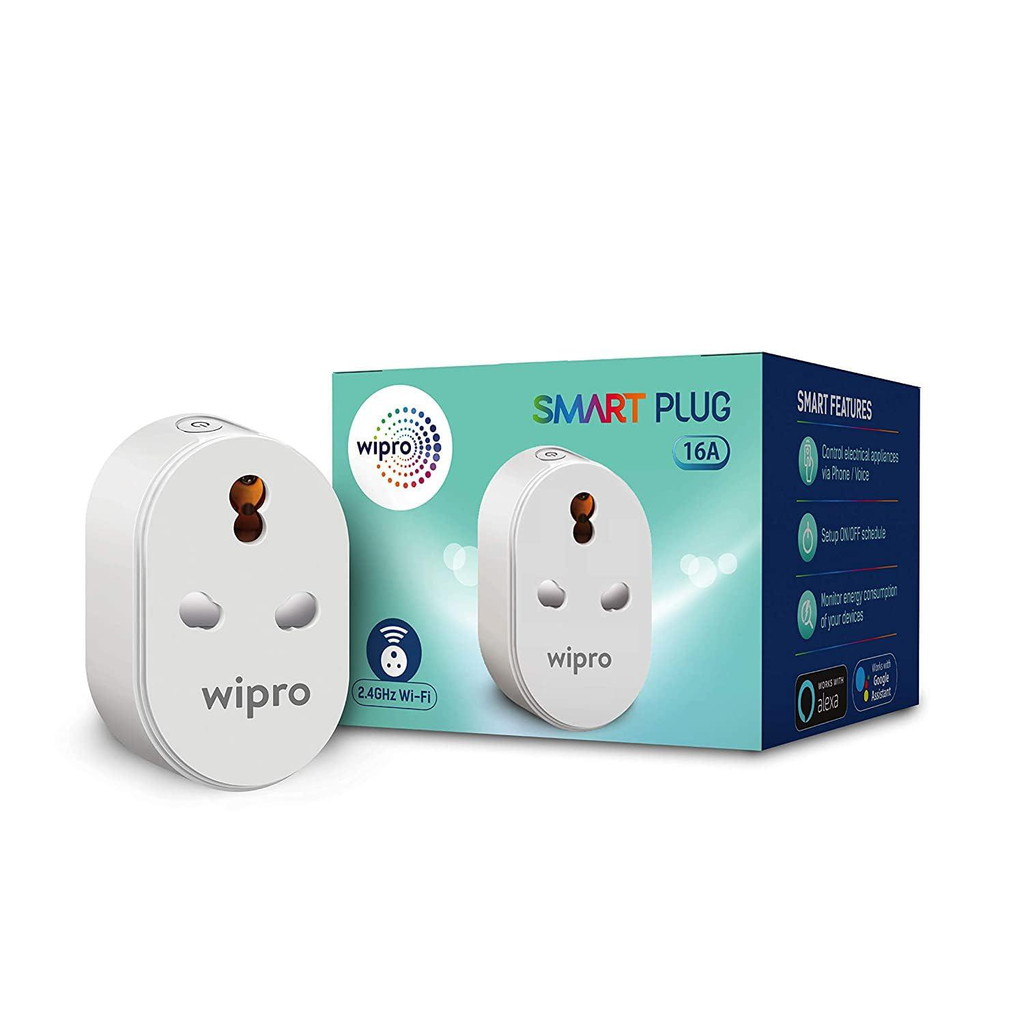
Wipro 16A Smart Plug
Approximate reference price: ₹869
Best for: Appliances requiring a compatible 16A plug
A Wi-Fi option to investigate when you need a higher-rated plug, scheduling, and app-based control. Confirm the appliance’s actual power requirements and the precise model’s rated capacity.
The Wipro 16A Wi-Fi Smart Plug is a practical option for Indian households that need to automate suitable higher-load appliances. Depending on the exact product version, its features may include app-based switching, timers, scheduling, energy monitoring, and support for compatible voice assistants. It is important to distinguish between a plug’s current rating and the suitability of the complete electrical installation. A 16A label alone does not guarantee that every geyser, heater, air conditioner, or other high-power appliance can be safely controlled by that plug.
Before purchasing, compare the plug’s specifications with the appliance manufacturer’s instructions and the wall socket’s rating. If the appliance draws substantial current, has special starting requirements, or needs a dedicated circuit, consult a qualified electrician rather than relying on an online product description. Also confirm whether the product can handle the expected load continuously. For everyday automation, a suitable Wipro model may be attractive because it combines a familiar brand with direct Wi-Fi connectivity. However, electrical suitability should always take priority over price or smart features.
Zebronics ZEB-SP110: Best Budget Option
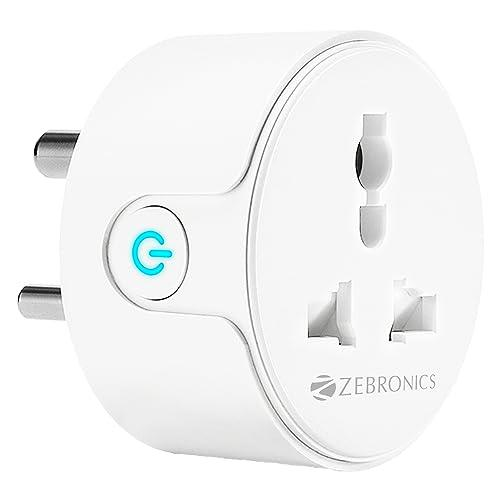
Zebronics ZEB-SP110
Approximate reference price: ₹718
Best for: Budget-conscious buyers
A lower-cost option to consider for basic smart-home automation. Check its exact current rating and the supported voice assistants before connecting an appliance.
If your main goal is to spend as little as possible, the Zebronics ZEB-SP110 deserves a look. Budget models can provide the features many beginners actually need: a way to switch a compatible appliance on or off remotely, basic scheduling, and integration with supported voice assistants. You may not need advanced consumption reports or a broad smart-home ecosystem if all you want is to control a lamp or another low-power device.
The important thing is to compare the model’s limitations with your actual needs. Check the manufacturer’s instructions for Wi-Fi requirements, app support, warranty coverage, and the maximum electrical load. A lower purchase price is less attractive if the product is difficult to configure or does not fit your intended socket. Read recent buyer feedback for recurring issues, particularly pairing problems and reliability concerns, rather than relying only on a star rating. For a simple first smart plug, this model may provide a reasonable entry point when the specifications match your requirements.
Wipro 10A Smart Plug: Best for Everyday Devices
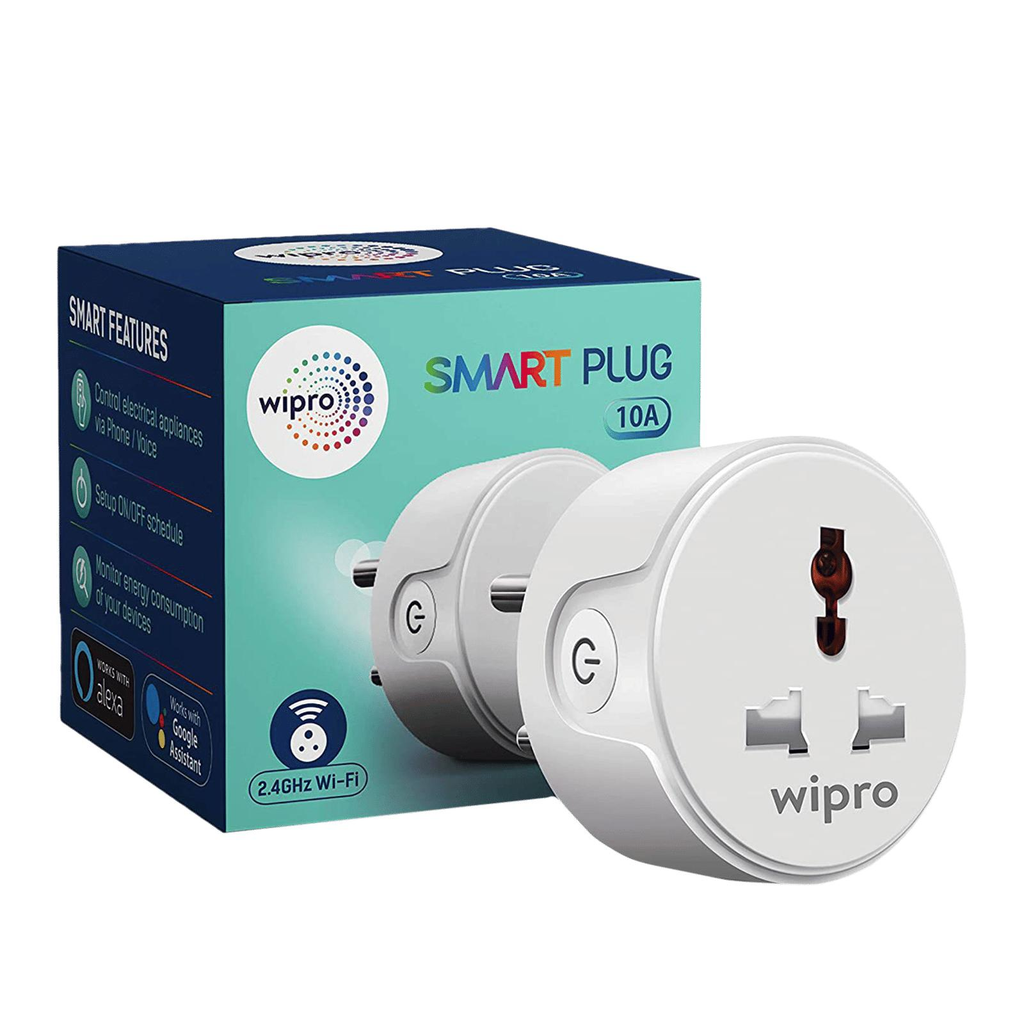
Wipro 10A Smart Plug
Approximate reference price: ₹839
Best for: Compatible lower-power devices
A possible choice for suitable lamps, routers, and other everyday electronics within its rated capacity. It is not a substitute for a correctly rated high-load plug.
A 10A smart plug can be a good fit when you want simple automation for compatible everyday devices. Consider a lamp that you want to turn on at sunset, or a device you regularly forget to switch off. With a suitable smart plug, you can create a schedule and reduce the number of manual steps in your routine. Some models also support voice commands through compatible assistants, so you can control the connected appliance without opening the app.
However, never assume that a 10A plug is suitable simply because the appliance fits physically. Check the appliance’s current draw, rated power, plug type, and manufacturer’s instructions. High-power heating and cooling equipment may require a different rating and installation arrangement. You should also check the exact Wipro model number because listings can mix product versions and feature descriptions. For ordinary automation, a lower-rated plug can be perfectly adequate when used within its specifications. Buying a higher-rated model than you need may also be reasonable if it is compatible, but the device and socket must still be suitable for the intended use.
Qubo Smart Plug: An Alternative for Connected Homes
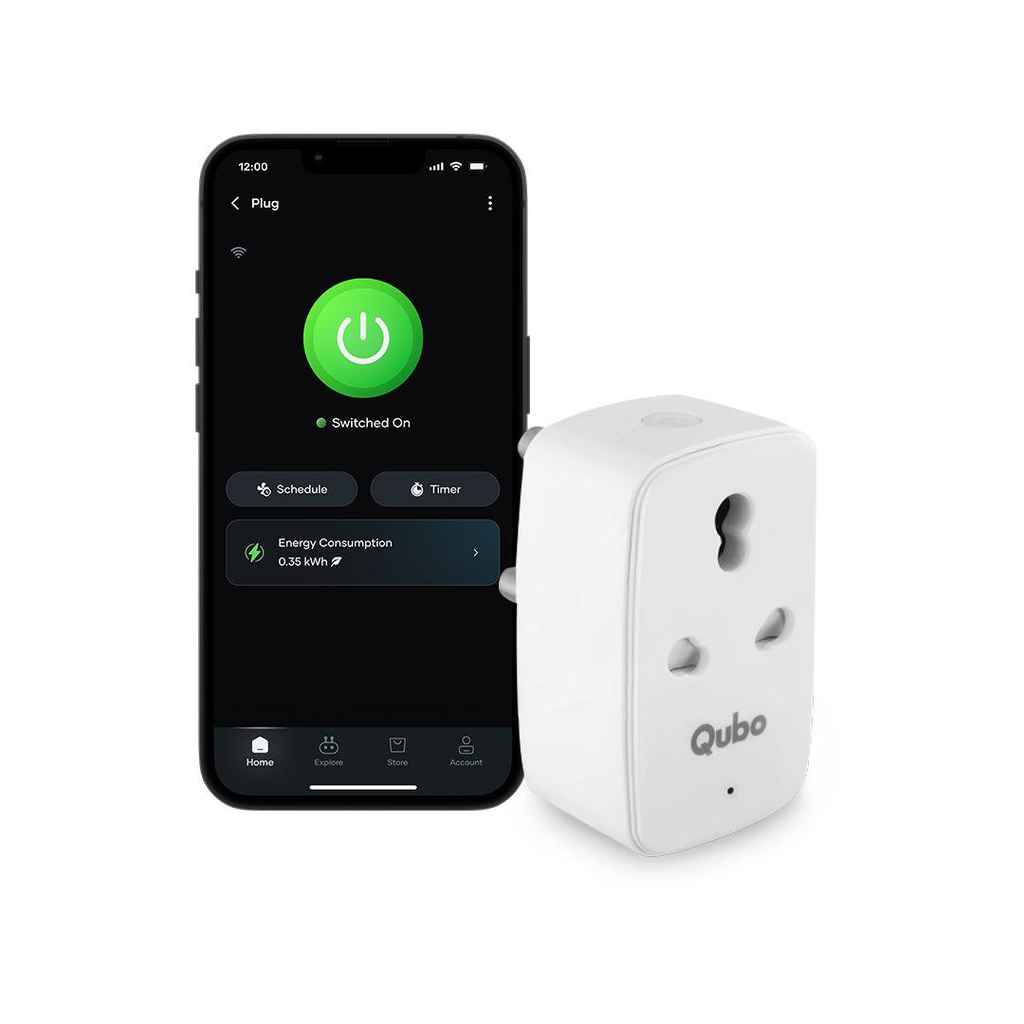
Qubo Smart Plug
Approximate reference price: ₹879
Best for: Buyers exploring connected-home features
Qubo is another brand to compare for app-based appliance control. Verify the exact model, current rating, and whether any advertised Bluetooth functionality supports the specific operation you need.
Qubo offers another option for shoppers comparing budget smart-home products. Its appeal will depend on the precise model and the features included in the current listing. When evaluating it, look beyond the words “smart plug” and check the supported app, network requirements, voice-assistant compatibility, scheduling options, and safety information. A plug that integrates smoothly with the devices you already use can be more useful than one with a longer feature list.
Some product descriptions mention Wi-Fi and Bluetooth together. Do not assume that Bluetooth means the plug will continue to provide every feature when your router or internet connection is unavailable. Bluetooth may be used for pairing or specific local operations, depending on the product. Check the manufacturer’s documentation for offline control and schedule behavior. If Qubo’s supported features match your routine and its price is competitive, it is worth comparing with Wipro and Tapo before making a final decision.
Philips Smart Wi-Fi Plug: A Familiar Brand Option
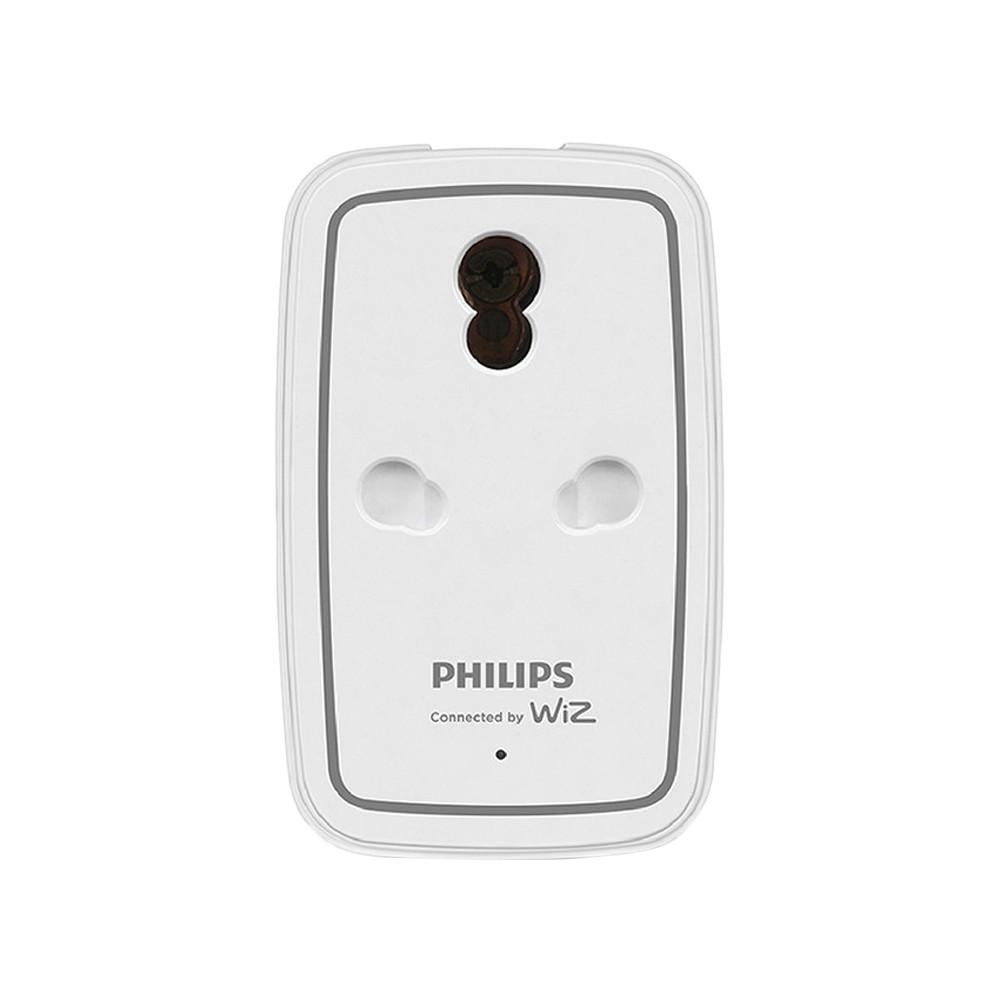
Philips Smart Wi-Fi Plug
Approximate reference price: ₹799
Best for: Buyers comparing established brands
A further option to investigate, particularly if you prefer an established electronics and lighting brand. Confirm that the listing is a genuine smart plug for your market and not a different socket or accessory.
Philips is a familiar name in home lighting and electronics, but brand recognition should not replace checking the product itself. A smart plug needs the right electrical rating, appropriate socket compatibility, reliable app support, and a clear warranty. If the model you find supports direct Wi-Fi connection, it can provide the same basic convenience as other hub-free plugs: controlling a connected appliance from a smartphone and using supported scheduling features.
Before purchasing, make sure the listing corresponds to the exact model sold in your region. Look for a clearly stated amperage, operating voltage, maximum load, and compatibility information. Confirm whether the plug works with Alexa or Google Home if voice control matters to you. Also compare its price with competing products that offer energy monitoring or similar automation features. The best choice is not necessarily the most recognizable brand; it is the model that safely supports your appliance, works with your network, and offers useful features at a fair price.
AZIOT 16A Smart Plug: Another Value-Focused Choice
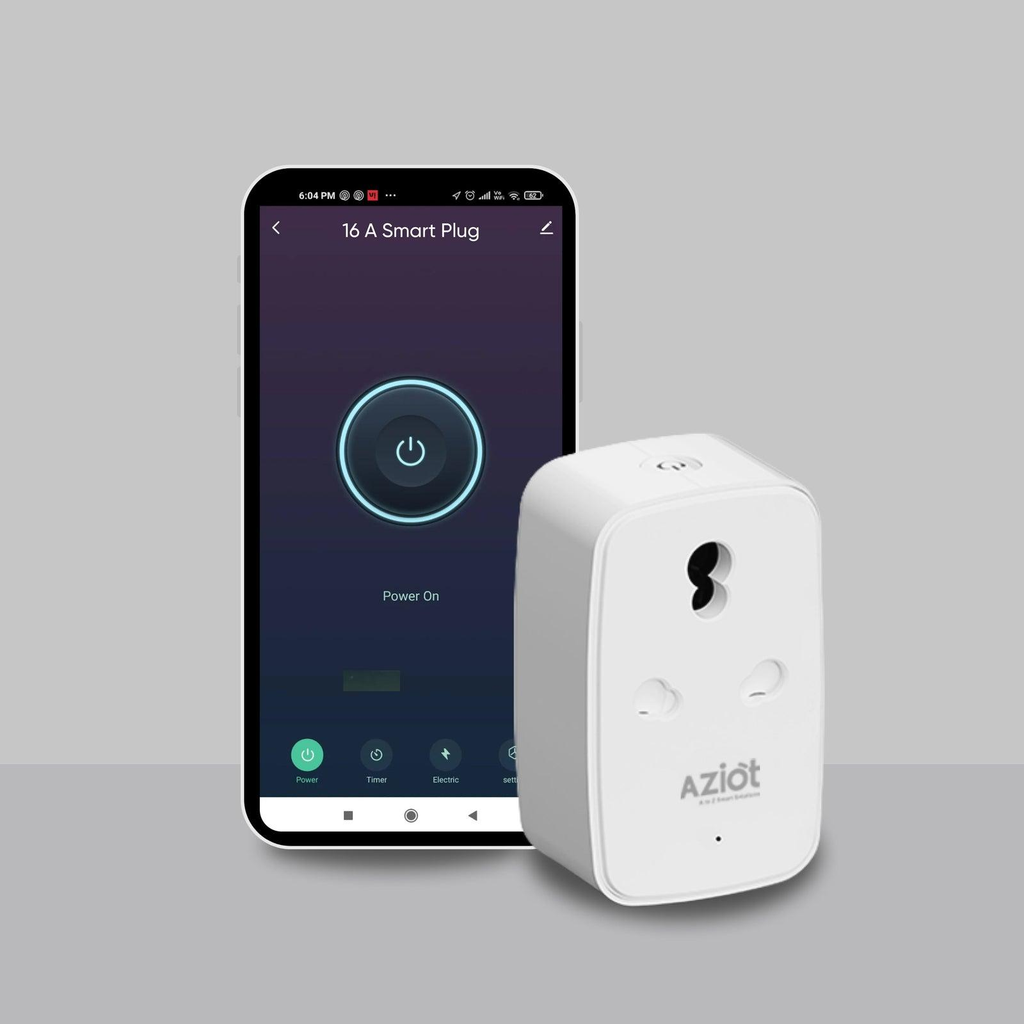
AZIOT 16A Smart Plug
Approximate reference price: ₹715
Best for: Comparing features at a lower price
AZIOT appears in Indian smart-plug buying guides as a budget-oriented option with Wi-Fi and Bluetooth listed for some models. Verify the exact specifications and safety claims before buying.
AZIOT is worth including when you are comparing features against price, particularly if you want a higher-current model without moving into a much more expensive smart-home system. Some listings advertise energy monitoring and safety features, but those claims should be checked against the manufacturer’s documentation for the exact product. Do not assume that all versions have identical overload protection, connectivity, or app functions.
As with any lesser-known or value-focused product, pay attention to warranty support, seller reputation, return conditions, and recent reviews. Confirm that the plug has the appropriate approvals for your market and that its rating matches the connected appliance. A low price can be attractive, but a smart plug is an electrical device that may remain in use for many hours. If the manufacturer does not provide clear technical information or you cannot confirm that the model suits your appliance, choose a better-documented alternative instead.
4. Smart Plug Comparison: Features and Prices
Choosing the best smart plug becomes easier when you compare the features that matter most. A cheaper device may be perfect for switching a lamp on and off, while a slightly more expensive model could offer energy monitoring, better app integration, or a higher electrical rating. The table below summarizes the options discussed above using approximate prices found in Indian online listings and buying guides. These figures are indicative rather than guaranteed live checkout prices, and features should be verified for each specific model.
| Smart plug | Approx. price | Best use | Key consideration |
| TP-Link Tapo P110 | ₹899 | Energy monitoring | Verify exact model and rating |
| Wipro 16A | ₹869 | Compatible higher-load appliances | Confirm appliance requirements |
| Zebronics ZEB-SP110 | ₹718 | Budget automation | Check supported features |
| Wipro 10A | ₹839 | Everyday electronics | Not suitable for every high-load device |
| Qubo Smart Plug | ₹879 | Connected-home control | Check app and network features |
| Philips Smart Wi-Fi Plug | ₹799 | Brand-based comparison | Verify exact regional model |
| AZIOT 16A | ₹715 | Value-focused comparison | Confirm safety specifications |
If you mainly want to automate a bedside lamp or another low-power appliance, start by comparing the Zebronics and Wipro 10A options. If monitoring electricity consumption is important, investigate the Tapo P110 and confirm that energy reporting is supported by the version available to you. For an appliance requiring a 16A connection, compare the Wipro 16A and AZIOT 16A models, but remember that their electrical ratings alone do not establish suitability for every appliance. Check the product instructions, the appliance’s specifications, and the outlet’s rating before making a decision.
5. Important Features to Check Before Buying
A good budget smart plug should solve a real problem rather than simply add another app to your phone. Start with the basics: reliable connectivity, a suitable electrical rating, clear setup instructions, and a manufacturer that provides useful support. After that, consider features such as scheduling, countdown timers, energy monitoring, voice control, and compatibility with your existing smart-home ecosystem. Paying extra for features you will never use is unnecessary, but choosing the cheapest model without checking its limitations can be a costly mistake.
Scheduling and timers are useful when you want an appliance to run according to a routine. For example, you might schedule a compatible lamp to switch off at bedtime or set a countdown for a device that should not remain powered indefinitely. Energy monitoring is useful if you want to track the electricity consumption of a connected appliance. However, consumption figures and estimated costs depend on the model and the information you enter into its app. Do not assume that a smart plug will automatically reduce energy consumption; you still need to make sensible decisions about how and when appliances operate.
Voice-assistant compatibility is another important consideration. Some plugs work with Amazon Alexa and Google Home, while others may offer different integration. If you already use a particular assistant, check compatibility before buying. Also look at the plug’s physical size. Bulky designs can block neighboring outlets, which is especially inconvenient when a wall socket has limited space. Finally, read recent reviews and confirm the warranty, return policy, and official setup instructions. A few minutes spent checking these details can save you from buying a plug that does not suit your home.
Choosing the Right Electrical Rating
Electrical safety should come before every other feature. Smart plugs are commonly sold with different current ratings, and the correct choice depends on the connected appliance, its power consumption, the outlet, and the manufacturer’s instructions. A lower-rated plug may work well for a compatible lamp or router but may be unsuitable for a high-power heater or geyser. Conversely, a plug with a higher current rating must still be compatible with the outlet and the electrical circuit.
For Indian homes, check whether the product is rated for 6A, 10A, or 16A, and compare that rating with the appliance’s specifications. Do not rely on a generic statement such as “supports heavy appliances.” A high-power appliance can draw substantial current, and a mismatch can cause overheating or other hazards. Some appliances also have operating characteristics that make remote switching through a plug inappropriate.
Avoid using a smart plug to override an appliance’s built-in safety systems. Never connect a load beyond the manufacturer’s stated limit, and do not use an indoor plug in a wet or exposed outdoor location unless it is specifically designed and rated for that environment. If you are unsure whether a plug is suitable for a geyser, air conditioner, room heater, or another high-power appliance, ask a qualified electrician.
6. How to Set Up a Smart Plug Without a Hub
One reason Wi-Fi smart plugs are popular is that setup is usually straightforward. Although the exact steps vary between brands, most follow a similar process. You need a compatible smartphone, a functioning home Wi-Fi network, the manufacturer’s app, and an appropriate wall socket. Many models use the 2.4 GHz Wi-Fi band, so check your router settings and the product requirements before starting.
Follow these general steps:
- Check the specifications. Confirm that the plug supports your appliance, outlet, and Wi-Fi network.
- Install the official app. Download it from the manufacturer’s official website or the relevant app store.
- Connect the plug. Insert it into a suitable socket and follow the manufacturer’s instructions to enter pairing mode.
- Pair it with Wi-Fi. Open the app and follow the setup prompts. Some models use Bluetooth to help with initial pairing.
- Test basic operation. Connect a suitable appliance and check that the plug switches it on and off correctly.
- Configure schedules or voice control. Enable additional features only after confirming compatibility.
If the plug fails to connect, check that you are using the correct Wi-Fi band and password. Move the device closer to the router during setup, update the app if necessary, and follow the manufacturer’s reset procedure if pairing repeatedly fails. Do not assume that every smart plug supports a combined 2.4 GHz and 5 GHz network in the same way.
Once setup is complete, give the plug a clear name in the app, such as “Bedroom Lamp” or “Desk Light.” Meaningful names make voice commands and schedules easier to manage. Keep the app and device firmware updated when updates are available, and secure your account with a strong, unique password.
7. Are Hub-Free Smart Plugs Safe and Reliable?
Hub-free smart plugs can be convenient and reliable when they are properly designed, correctly installed, and used within their stated limits. However, Wi-Fi connectivity alone does not tell you whether a product is electrically safe or well supported. Before buying, look for clear manufacturer information, applicable safety certifications or regulatory approvals, a stated maximum load, and a warranty. Be cautious if a listing makes broad safety promises without identifying the relevant specifications or testing standards.
Reliability also depends on the network and the manufacturer’s software. A weak Wi-Fi signal may cause delays, while cloud-dependent functions may stop working when the internet or service is unavailable. Some plugs preserve schedules locally, but others may rely on an active connection for certain features. Read the product documentation if you need automation to continue during network outages. A smart plug should not be treated as a substitute for a dedicated safety device or as a guarantee that an appliance will shut down safely in every circumstance.
Privacy deserves attention, too. Smart plugs may collect device information and usage data through their companion apps or connected services. Review the manufacturer’s privacy policy, use a strong account password, enable available security protections, and avoid installing unofficial apps. For sensitive environments, consider whether you are comfortable with the product’s cloud requirements and data practices.
Finally, remember that a smart plug only controls electrical power; it does not make every connected appliance fully smart. A device with a mechanical switch may behave differently after power is restored than an appliance with electronic controls. Test the behavior of the connected device and never leave a potentially dangerous appliance unattended simply because it has a schedule. For the best experience, choose a well-documented model that fits your electrical requirements and your preferred smart-home ecosystem.
8. Conclusion
The best budget smart plugs that don’t require a hub offer a simple way to introduce automation without spending heavily on a separate controller. They can help you manage compatible appliances, build schedules, control devices from your phone, and, on selected models, monitor electricity consumption. For Indian buyers, options such as the TP-Link Tapo P110, Wipro 16A, Wipro 10A, and Zebronics ZEB-SP110 are useful starting points for comparing prices and features.
Your final choice should depend on what you want to control. The Tapo P110 is worth considering if you want energy monitoring, while the Wipro 16A is an option to investigate for appliances that require a compatible higher-current plug. The Zebronics ZEB-SP110 may suit a tighter budget, and the Wipro 10A can be appropriate for supported everyday devices. Compare the exact model specifications, warranty, recent reviews, and current price before ordering.
Most importantly, never sacrifice electrical safety to save a little money. Confirm the current rating, appliance compatibility, and socket requirements, and consult a qualified electrician when necessary. With the right model, you can make your home more convenient without buying a separate hub or building an unnecessarily complicated smart-home system.
Frequently Asked Questions
1. Do smart plugs work without a hub?
Yes. Many Wi-Fi smart plugs connect directly to a compatible home router and use a smartphone app for setup and control. They do not require a separate smart-home hub, although some functions may still depend on an internet connection or the manufacturer’s cloud service.
2. Which is the best budget smart plug without a hub?
The best option depends on your requirements. The TP-Link Tapo P110 is worth comparing if you want energy monitoring, the Wipro 16A is worth investigating for compatible higher-load appliances, and the Zebronics ZEB-SP110 is a budget-focused alternative. Always verify the exact model and its current specifications.
3. Can I use a smart plug with Alexa or Google Home?
Many Wi-Fi smart plugs support Amazon Alexa, Google Home, or both. However, compatibility varies by model and region. Check the manufacturer’s product page before purchasing, then follow the official instructions to link the plug to your preferred voice assistant.
4. Do smart plugs reduce electricity bills?
Not automatically. Energy-monitoring models can help you understand the consumption of connected appliances, while scheduling and remote switching can help you avoid unnecessary use. Your actual savings depend on the appliance, how much electricity it consumes, and whether you change your usage habits.
5. Is a 10A smart plug suitable for a geyser or room heater?
Do not assume it is. High-power appliances may require a 16A-rated device or a dedicated electrical installation, depending on their specifications. Check the appliance, outlet, and plug ratings, follow the manufacturer’s instructions, and consult a qualified electrician if you are uncertain.
