

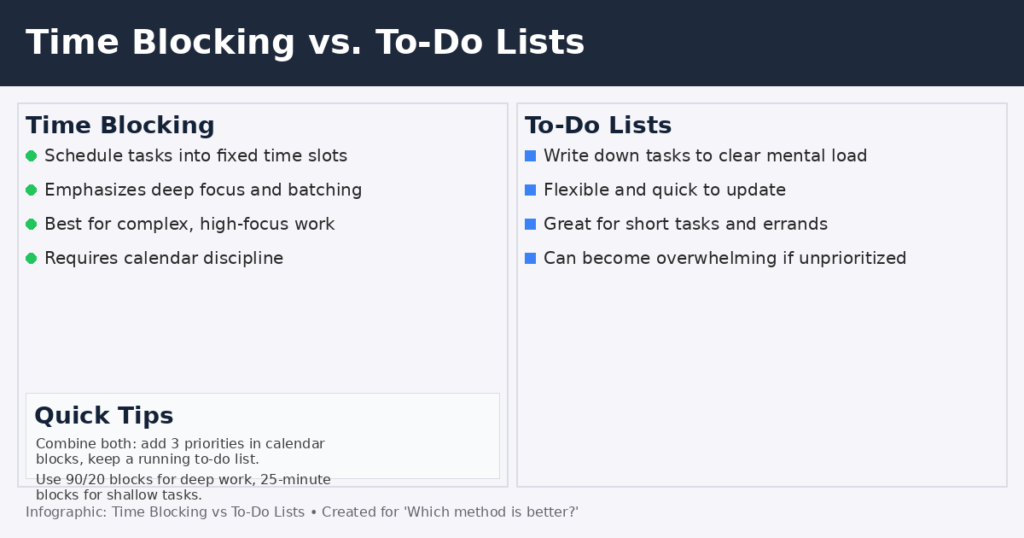
Choosing how to plan your day matters more than most people think. Two popular approaches — time blocking (scheduling tasks in calendar “blocks”) and to-do lists (writing tasks down) — both have strong benefits. This article compares them, explains when each shines, and shows how to combine them for reliable productivity.
What each method is (quick primer)
Time blocking
Time blocking (or timeboxing) means assigning specific chunks of time on your calendar to a task or category of work. Example: 9:00–11:00 — Deep work: report writing; 11:00–11:30 — email triage.
To-do lists
A to-do list is a prioritized set of tasks you write down (paper or app). Example: 1) Draft report intro; 2) Email team; 3) Buy groceries. Lists free cognitive load by taking tasks out of your head.
Head-to-head: strengths and weaknesses
Focus & flow: time blocking wins
Time blocking reduces context switching by batching similar work and protecting focused time. Research and expert writing on timeboxing point to improved concentration and less multitasking.
Best for: Deep, creative, or complex work (writing, coding, analysis).
Weaknesses: Needs discipline to stick to the calendar; interruptions and meetings can break blocks.
Clarity & mental offloading: to-do lists win
Writing tasks down reduces mental clutter, lowers anxiety about forgetting things, and gives the satisfaction of ticking items off. For many people, seeing a list is the scaffolding they need to start and maintain momentum.
Best for: Quick tasks, errands, checklists, and when you need a flexible plan.
Weaknesses: Lists can grow unwieldy; without prioritization, they become a source of stress.
Handling interruptions
Time blocks give you a default response to interruptions (reschedule or add a short buffer); lists let you capture new tasks quickly without derailing current work. Combining a short “admin” block for interruptions with a running to-do list handles both.
Managing priorities
To-do lists must be curated (limit daily tasks to 3–6 priorities). Time blocking forces prioritization naturally: you only have so many hours to allocate. Use lists to choose what matters, calendar blocks to decide when it happens.
Practical examples
Example 1 — Knowledge worker (writer)
- Morning: 8:30–11:00 — Time block for drafting (deep work).
- Midday: 11:30–12:00 — To-do list: respond to 5 emails, update outline.
- Afternoon: 14:00–15:00 — Time block for editing.
Why it works: Big creative chunks are protected; small, variable tasks live in a list.
Example 2 — Project manager
- Start of day: 15-minute review of a prioritized to-do list (identify 3 top tasks).
- Rest of day: schedule 30–60 minute blocks for meetings, follow-ups, and buffer time.
Why it works: Meetings are scheduled; actionable items captured and slotted into available blocks.
Example 3 — Student studying for exams
- Use focused 50-minute study blocks per subject, and maintain a task list for practice problems and readings to drop into leftover short blocks.
How to combine them (the pragmatic hybrid)
- Daily triage (list → calendar): Each morning, pick 3 priority items from your master to-do list and add them as calendar blocks.
- Reserve buffers: Add 15–30 minute buffer blocks between major items for overflow and interruptions.
- Shallow blocks: Group shallow tasks (emails, admin) into 60–90 minute blocks rather than switching constantly.
- Weekly planning session: On one weekly review, build both the week’s time blocks and a running list for small tasks.
This hybrid captures the strengths of both systems and minimizes their weaknesses.
Common pitfalls and how to avoid them
- Over-scheduling (calendar fatigue): Leave breathing room; don’t block every minute.
- Endless to-do lists: Use a “top 3” rule for daily focus. Archive or delegate low-value items.
- No review habit: A to-do list without a weekly review becomes stale. Time blocks without review become rigid. Combine both with short daily and weekly reviews.
Expert tips (fast wins)
- Time blocks for your “most important work” first thing in the morning.
- Keep one running “inbox” list to capture tasks, then triage them into the calendar or backlog.
- Treat the calendar as a commitment device: color-code blocks for types of work.
- If meetings dominate, block “protected deep work” days or half-days.
Conclusion
There’s no single “better” method for everyone. Time blocking excels when focus and flow matter; to-do lists shine for clarity, capture, and short tasks. For most people, the highest ROI is a hybrid: use a to-do list to capture and prioritize, and time blocking to protect the hours needed to finish your top work. That combination reduces stress, increases output, and makes progress visible.
