

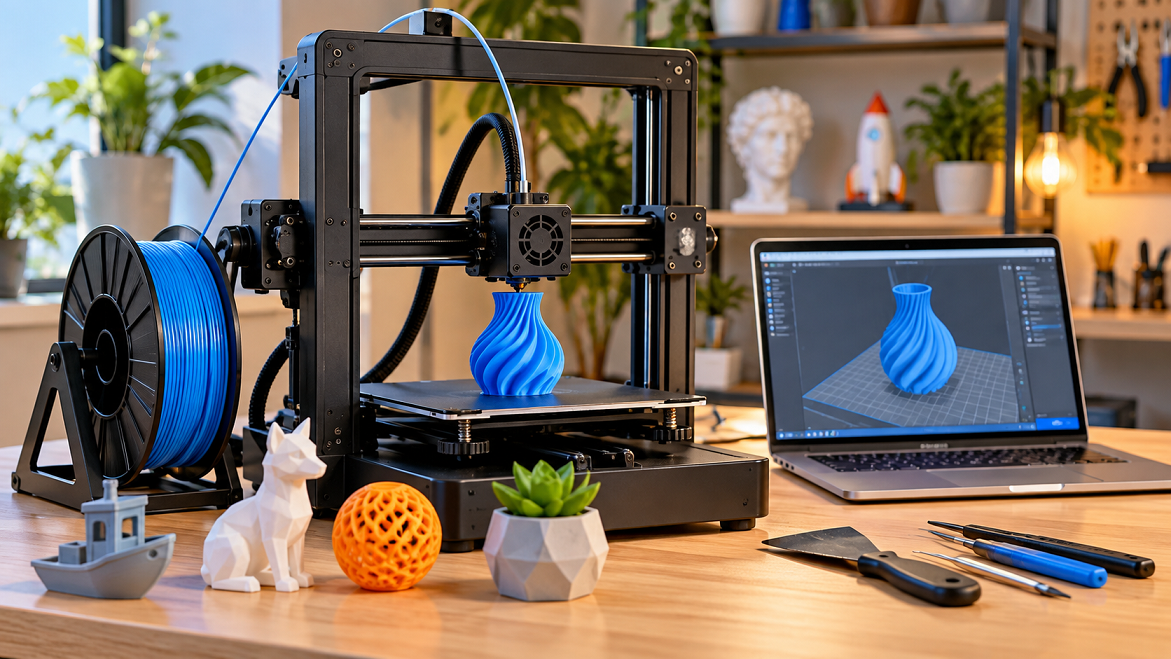
3D printing has moved from specialized engineering labs into homes, classrooms, workshops, and small businesses. Today, beginners can buy relatively affordable desktop printers and create everything from organizers and replacement parts to decorative models, prototypes, miniatures, and useful household accessories.
But choosing your first printer can be confusing. There are different printing technologies, materials, build sizes, speeds, and features—and the most expensive printer isn’t necessarily the right one for a beginner.
The key is to choose a machine based on what you actually want to make, how much maintenance you’re comfortable with, and how much you want to spend. Current beginner-focused buying guides also emphasize ease of setup, automatic bed leveling, reliability, and practical usability rather than simply chasing the highest specifications.
What Is 3D Printing?
3D printing is an additive manufacturing process. Instead of cutting material away from a solid block, a printer builds an object layer by layer from a digital 3D model.
For a typical filament printer, the basic workflow looks like this:
3D model → Slicer → Printer → Printed object
You can download an existing model or design one yourself using 3D modeling software. The slicer converts the model into instructions that tell the printer how to move, how much material to extrude, and how to construct each layer.
Forbes describes 3D printing as an additive process in which materials such as plastic filament are deposited repeatedly to create a three-dimensional object.
The Two Main Types of 3D Printers
Before choosing a specific model, you need to understand the two technologies most relevant to beginners.
FDM/FFF: The Best Starting Point for Most Beginners
FDM (Fused Deposition Modeling), also commonly called FFF, uses a spool of plastic filament.
The printer heats the filament and pushes it through a nozzle, depositing thin layers until the object is complete.
Common materials include:
- PLAN
- PETG
- TPU
- ABS
- ASA
- Various specialty filaments
Why beginners often choose FDM:
- Filament is relatively straightforward to handle.
- Printers are available across many price ranges.
- Large functional objects can be produced.
- Maintenance is generally more manageable than resin printing.
- PLAN is particularly easy to start with.
For example, a beginner could use an FDM printer to make a cable organizer, phone stand, storage box, replacement knob, plant pot, or simple mechanical component.
Resin: Excellent Detail, More Handling
Resin printers use liquid photo polymer resin that is cured with UV light. They are particularly useful when fine detail is more important than large functional parts.
Resin can be attractive for:
- Miniatures
- Figurines
- Jewelry prototypes
- Highly detailed models
- Small decorative parts
However, liquid resin requires more careful handling, cleaning, curing, and workspace management. Resin printing therefore isn’t automatically the easiest starting point just because the machines can be relatively inexpensive. Current buying guides distinguish resin printers primarily for high-detail applications.
For most complete beginners, FDM is the simpler place to start.
What Should You Look for in Your First 3D Printer?
1. Automatic Bed Leveling
A good first printer should make the first layer as easy as possible.
Automatic or assisted bed leveling can reduce one of the common early frustrations: getting the nozzle-to-bed distance correct.
The first layer is extremely important because every subsequent layer depends on it. Tom’s Hardware’s beginner guidance specifically highlights bed leveling as an important early setup step.
2. A Heated Print Bed
A heated bed helps improve adhesion for many filament types and can make printing more consistent.
For a beginner, a heated build plate combined with a removable flexible or spring-steel surface is a useful combination.
3. Direct-Drive Ext-ruder
A direct-drive system places the extrude mechanism close to the ho tend.
This can be particularly useful if you eventually want to experiment with flexible materials such as TPU. It isn’t essential for every beginner, but it provides useful versatility.
4. Automatic Z-Offset or Calibration Assistance
A printer that can automatically determine or assist with important calibration settings can save considerable setup time.
The less time you spend fighting calibration during your first weeks, the more time you can spend learning how to design and print useful objects.
5. A Reliable Slicer
The printer is only one part of the system.
You’ll also need slicing software to convert your 3D model into printable instructions.
Look for a printer with good compatibility with established slicers and an active user community. A large community can make troubleshooting much easier because common problems often already have documented solutions.
6. Replacement Parts and Community Support
Don’t overlook support.
A printer with inexpensive replacement nozzles, readily available build plates, fans and other components can be easier to maintain over several years.
For beginners, documentation and community support can be nearly as important as raw printing speed.
How Much Should a Beginner Spend?
Your budget should include more than the printer itself.
You may also need:
- Filament
- Nozzles
- Scraper or removal tool
- Cleaning supplies
- Storage for filament
- Basic maintenance tools
- Optional spare parts
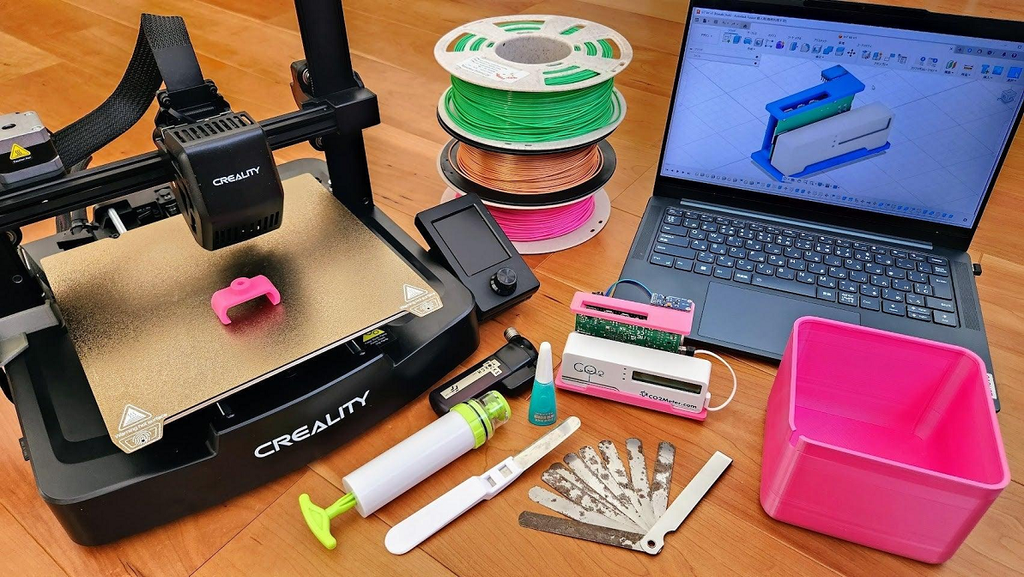
Budget-oriented printers can be found below $300, while more sophisticated machines can cost considerably more. Current 2026 buying guides include beginner and budget models across this range.
A sensible approach is to avoid spending your entire budget on the printer.
For example: if your total budget is $300, spending $250 on the printer and keeping approximately $50 for filament and basic accessories can be more practical than buying a $300 machine with nothing left for materials.
So, What Printer Should You Buy?
There isn’t one universally correct printer for every beginner. Instead, match the machine to your intended use.
If You Want the Simplest FDM Experience
Look for a modern beginner-oriented FDM printer with:
- Automatic bed leveling
- Automatic calibration
- Flexible build plate
- Direct drive
- Easy-to-use interface
- Good manufacturer documentation
- Reliable community support
Current 2026 testing from Tom’s Hardware, for example, identifies the Creality SparkX i7 as a beginner-oriented option and highlights features such as automatic leveling, speed, and user-friendly operation.
If Your Budget Is Tight
A simpler entry-level FDM printer can make sense.
The important thing is not to buy based purely on the lowest advertised price. Check what calibration features, build plate, warranty, replacement parts, and support are included.
Current budget-printer guides continue to include models under $300, including options aimed specifically at first-time users.
If You Want Highly Detailed Miniatures
Consider a resin printer instead.
The extra workflow—handling liquid resin, washing parts and UV curing—makes resin less convenient for many general-purpose beginners, but the technology can be appropriate when small-scale detail is the priority.
If You Want to Print Functional Household Objects
Choose FDM.
For objects such as brackets, organizers, mounts, containers, replacement parts, hooks and prototypes, the larger and more practical build volumes of many FDM machines make them a natural starting point.
What Should You Print First?
Don’t start with the most complicated model you can find.
Your first projects should teach you how the printer behaves.
Good First Projects
1. Calibration cube
A small cube can help you understand dimensional accuracy and basic print quality.
2. Benchy
The famous 3D Benchy model is useful for observing overhangs, bridging, cooling and general print quality.
3. Cable organizer
This introduces you to practical, functional printing.
4. Phone stand
A simple phone stand demonstrates how orientation affects strength and appearance.
5. Small storage box
This gives you experience with tolerances, lids and moving parts.
Once you’re comfortable, move toward your own designs.
Don’t Ignore Filament
PLAN is generally an excellent starting material because it is comparatively easy to print and is available in many colors and finishes.
After becoming comfortable with PLA, you can explore PETG when you need different mechanical or environmental characteristics.
Flexible TPU can be useful for grips, protective parts and flexible components, while ABS and ASA can be useful for applications requiring different temperature or outdoor characteristics—but they generally demand more controlled printing conditions.
The lesson is simple:
Don’t buy a printer capable of every material just because you might use those materials someday.
Start with the material appropriate for your current projects.
Common Beginner Mistakes
Buying Based Only on Print Speed
A very high advertised speed doesn’t automatically mean better results.
Print quality depends on the complete system, including motion mechanics, extrusion, cooling, firmware, material and slicer settings.
Choosing the Cheapest Printer Available
A low purchase price can become less attractive if you spend substantial time troubleshooting or replacing components.
Starting With Complex Materials
Learn your machine with a forgiving material before moving into more demanding filaments.
Ignoring Maintenance
3D printers are machines, not completely maintenance-free appliances. Nozzles can clog, build surfaces can become dirty, belts can require adjustment, and components eventually wear.
Forbes’ beginner guidance similarly emphasizes reading the manual, patience, calibration and regular maintenance rather than expecting a printer to work like a conventional household appliance.
A Simple Beginner Buying Checklist
Before purchasing, ask yourself:
- What will I print? Functional parts, toys, miniatures, prototypes or decorations?
- How much space do I have?
- Do I want FDM or resin?
- What is my complete budget?
- Does the printer have automatic bed leveling?
- Is the build plate easy to remove?
- Are replacement parts available?
- Does it have good documentation?
- Does it work with established slicers?
- Is there an active user community?
- Will I need Wi-Fi, a camera or multicolored printing?
Don’t pay extra for features you don’t actually need.
Three High-Authority Resources for Beginners
For additional research, these resources provide useful background and buying guidance:
- Forbes — “5 Essential 3D Printing Tips For Beginners” — practical advice covering setup, calibration, safety and maintenance. Forbes: 5 Essential 3D Printing Tips For Beginners
- Tom’s Hardware — “Best 3D Printers for Beginners 2026” — current beginner-focused testing and buying considerations. Tom’s Hardware: Best 3D Printers for Beginners 2026
- Forbes — “Common Applications of 3D Printing: From Aerospace to Fashion” — useful overview of real-world 3D-printing applications and additive manufacturing. Forbes: Common Applications of 3D Printing
Conclusion
Choosing your first 3D printer doesn’t need to be complicated. For most beginners interested in household projects, prototypes, organizers, replacement parts and general experimentation, a modern FDM printer with automatic leveling, a heated removable build plate, straightforward calibration and good community support is a practical starting point.
If your primary goal is producing extremely detailed miniatures or small models, resin may be more appropriate. If you want to experiment with flexible or more technical materials later, choose a machine that gives you room to expand.
Most importantly, don’t choose a printer simply because its specification sheet looks impressive. Choose the machine that matches the things you actually want to make. A reliable, understandable printer that you use regularly will teach you far more than an expensive machine that sits unused.
